🎌 Web Scraping Otakudesu
Mengekstrak Data Anime dengan Python & BeautifulSoup
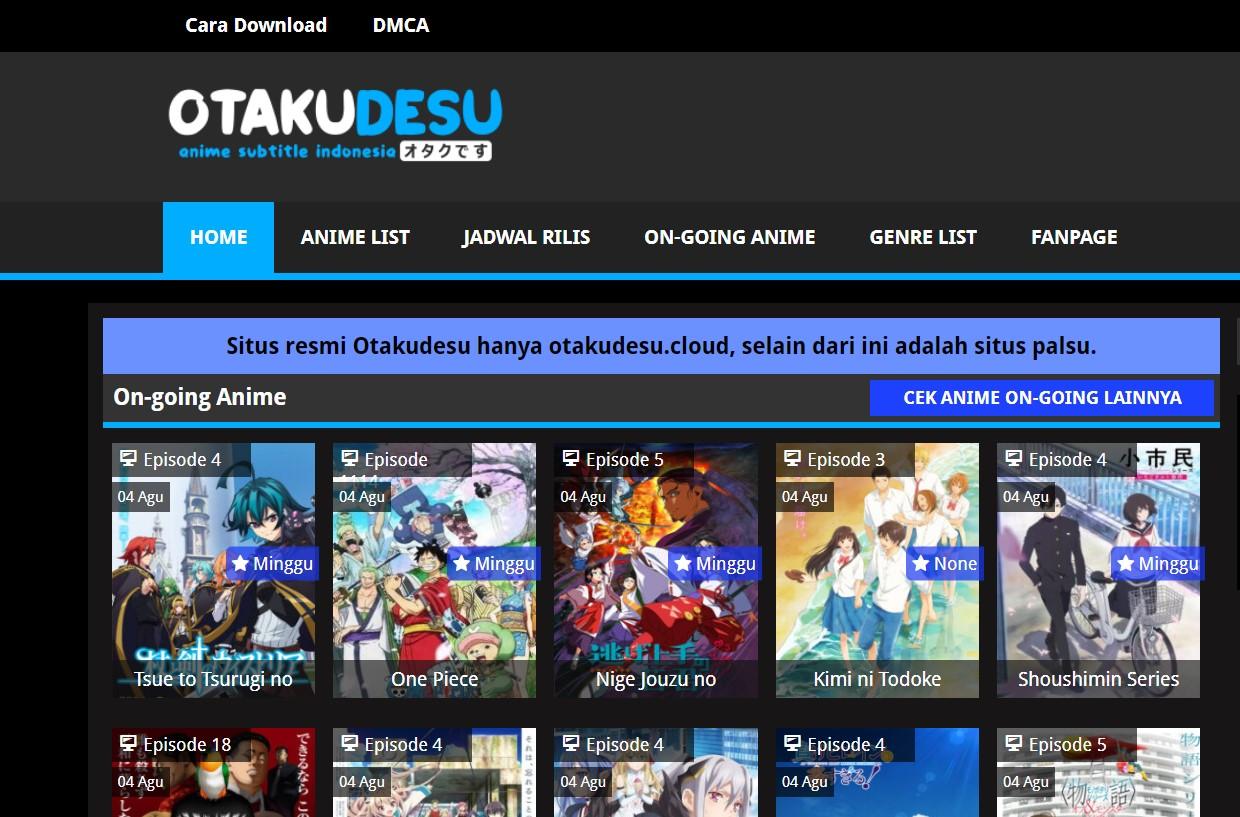
🌐 Tentang Website Otakudesu
Otakudesu adalah salah satu website anime terpopuler di Indonesia yang beroperasi di domain otakudesu.cloud. Website ini menjadi surga bagi para otaku Indonesia dengan menyediakan database anime yang sangat lengkap.
✨ Fitur Unggulan Otakudesu:
| Fitur | Deskripsi |
|---|
| 📚 Database Lengkap | Ribuan anime dengan informasi detail |
| 🔄 Update Rutin | Anime terbaru dan ongoing series |
| 🎯 User-Friendly | Interface yang mudah dinavigasi |
| 🏷️ Kategorisasi | Filter berdasarkan genre, studio, tahun |
| ⭐ Rating System | Score dan review dari komunitas |
🎯 Tujuan Proyek Scraping
Proyek ini bertujuan untuk:
- 📊 Mengumpulkan dataset anime untuk analisis data
- 🤖 Otomatisasi pengambilan informasi dari website
- 📈 Membuat database terstruktur untuk research
- 🔍 Mempelajari teknik web scraping pada website real-world
🚧 Tantangan & Solusi
1. 🔗 Navigasi Multi-Halaman
Tantangan: Data detail anime tidak tersedia di halaman utama, hanya tersedia link menuju halaman detail.
1
2
3
4
5
6
7
| # ❌ Data tidak lengkap di halaman utama
anime_links = soup.select("a.hodebgst") # Hanya dapat title dan link
# ✅ Harus navigasi ke halaman detail
for anime in anime_links:
detail_url = anime["href"]
detail_response = requests.get(detail_url) # Request ke halaman detail
|
2. ⏳ Rate Limiting & Bot Detection
Tantangan: Website dapat memblokir scraping yang terlalu agresif.
1
2
3
| # ✅ Implementasi delay untuk menghindari deteksi bot
time.sleep(2) # Delay 2 detik antara request
print("📡 Mencoba request ke halaman detail...")
|
3. 🎭 HTML Structure Parsing
Tantangan: Struktur HTML yang kompleks memerlukan parsing yang presisi.
1
2
3
4
| # ✅ Fungsi helper untuk ekstraksi data berdasarkan label
def get_info(label):
tag = info_div.find("b", string=label)
return tag.find_parent("p").text.replace(f"{label}: ", "").strip() if tag else "Tidak ditemukan"
|
💻 Implementasi Lengkap
🛠️ Setup & Dependencies
1
2
3
4
5
6
| # Import library yang diperlukan
import requests # HTTP requests
import time # Delay management
from bs4 import BeautifulSoup # HTML parsing
import pandas as pd # Data manipulation
import os # File operations
|
🌐 Langkah 1: Request ke Halaman Utama
1
2
3
4
5
6
7
8
9
10
11
12
13
14
| # URL utama daftar Anime
BASE_URL = "https://otakudesu.cloud/anime-list/"
print("📡 Mencoba request ke halaman utama...")
# Request ke halaman utama
response = requests.get(BASE_URL)
if response.status_code == 200:
print("✅ Berhasil mengakses halaman utama!")
time.sleep(1)
print("\nLanjut Scraping🔥🔥🔥")
else:
print(f"❌ Gagal mengakses halaman utama! Status Code: {response.status_code}")
exit()
|
🔍 Langkah 2: Ekstraksi Link Anime
1
2
3
4
5
6
7
8
9
10
| # Parsing HTML
soup = BeautifulSoup(response.text, "html.parser")
# Ambil semua link anime dari class "hodebgst"
anime_links = soup.select("a.hodebgst")
if anime_links:
print(f"\n🔍 Ditemukan {len(anime_links)} anime dalam daftar.")
# List untuk menyimpan data
anime_data = []
|
🎯 Langkah 3: Scraping Detail Anime
1
2
3
4
5
6
7
8
9
10
11
12
13
14
15
16
17
18
19
20
21
22
23
24
| for index, anime in enumerate(anime_links, start=1):
if index > 10: # Limit untuk testing
print("\n🚧 Batas maksimal 10 anime telah tercapai. Menghentikan proses...")
break
title = anime.text.strip()
detail_url = anime["href"]
print(f"\n📌 [{index}/10] Mengambil data anime: {title}")
print(f"🔗 URL: {detail_url}")
# Request ke halaman detail dengan delay
print("📡 Mencoba request ke halaman detail...")
time.sleep(2) # Delay agar tidak dianggap bot
detail_response = requests.get(detail_url)
if detail_response.status_code == 200:
print("\n✅ Berhasil mengakses halaman detail!✨✨")
else:
print(f"❌ Gagal mengakses halaman detail! Status Code: {detail_response.status_code}")
continue
# Parsing HTML halaman detail
detail_soup = BeautifulSoup(detail_response.text, "html.parser")
|
📊 Langkah 4: Ekstraksi Data Detail
1
2
3
4
5
6
7
8
9
10
11
12
13
14
15
16
17
18
19
20
21
22
23
24
25
26
27
28
29
| # Ambil Informasi dari tag div class "infozingle"
time.sleep(2)
print("\n🔍 Mencari detail anime...")
info_div = detail_soup.find("div", class_="infozingle")
def get_info(label):
""" Fungsi untuk mencari teks setelah label tertentu(b) """
tag = info_div.find("b", string=label)
return tag.find_parent("p").text.replace(f"{label}: ", "").strip() if tag else "Tidak ditemukan"
# Ekstraksi semua informasi
judul = get_info("Judul")
japanese_title = get_info("Japanese")
score = get_info("Skor")
producer = get_info("Produser")
anime_type = get_info("Tipe")
status = get_info("Status")
total_episodes = get_info("Total Episode")
duration = get_info("Durasi")
duration = duration.replace("\n", " ").strip()
release_date = get_info("Tanggal Rilis")
studio = get_info("Studio")
# Ambil genre (karena berupa link, perlu ekstraksi khusus)
genre_links = info_div.select("p span a")
genres = ", ".join([genre.text for genre in genre_links]) if genre_links else "Tidak ditemukan"
print("\n✅ Informasi detail Anime berhasil diambil✨✨!")
time.sleep(3)
|
📝 Langkah 5: Ekstraksi Deskripsi
1
2
3
4
5
6
7
8
9
10
11
12
13
14
15
| # Ambil deskripsi anime dari div class "sinopc"
print("\n🔍 Mencari deskripsi anime...")
description_div = detail_soup.find("div", class_="sinopc")
description = description_div.text.strip() if description_div else "Deskripsi tidak ditemukan"
print("\n✅ Deskripsi berhasil diambil!✨✨")
# Simpan ke list
anime_data.append([
title, detail_url, description, japanese_title, score,
producer, anime_type, status, total_episodes, str(duration),
release_date, studio, genres
])
print(f"\nYeey😝😝-->📥 Data anime '{title}' telah disimpan.🔥🔥🔥")
time.sleep(2)
|
💾 Langkah 6: Export ke CSV
1
2
3
4
5
6
7
8
9
10
11
12
13
14
15
16
17
18
19
| # Simpan ke file CSV menggunakan Pandas
df = pd.DataFrame(anime_data, columns=[
"Judul", "URL", "Deskripsi", "Japanese Title", "Skor", "Produser",
"Tipe", "Status", "Total Episode", "Durasi", "Tanggal Rilis",
"Studio", "Genre"
])
filename = "otakudesu_anime_list.csv"
folder_path = "D:/Kuliah-Semester-4/Data Meaning/Tugas-Week2/web3/"
# Cek apakah folder ada, jika tidak buat folder
if not os.path.exists(folder_path):
os.makedirs(folder_path)
# Simpan DataFrame ke CSV
file_path = os.path.join(folder_path, filename)
df.to_csv(file_path, index=False, encoding="utf-8")
print("📂 Scraping selesai! Data tersimpan di 'otakudesu_anime_list.csv'😍😍😍")
|
📊 Struktur Data Output
Hasil scraping menghasilkan CSV dengan kolom-kolom berikut:
| Kolom | Deskripsi | Contoh |
|---|
| 🎬 Judul | Judul anime dalam bahasa Indonesia | “Attack on Titan” |
| 🔗 URL | Link ke halaman detail | “https://otakudesu.cloud/anime/…” |
| 📝 Deskripsi | Sinopsis lengkap anime | “Cerita tentang manusia vs titan…” |
| 🇯🇵 Japanese Title | Judul asli dalam bahasa Jepang | “Shingeki no Kyojin” |
| ⭐ Skor | Rating anime | “9.0” |
| 🏢 Produser | Perusahaan produser | “Mappa, Kodansha” |
| 📺 Tipe | Format anime | “TV Series” |
| 📊 Status | Status tayang | “Completed” |
| 🎞️ Total Episode | Jumlah episode | “25 Episodes” |
| ⏱️ Durasi | Durasi per episode | “24 menit per ep” |
| 📅 Tanggal Rilis | Tanggal mulai tayang | “Apr 7, 2013” |
| 🎨 Studio | Studio animasi | “Studio Mappa” |
| 🏷️ Genre | Kategori genre | “Action, Drama, Fantasy” |
📈 Analisis Data Hasil Scraping
📊 Statistik Dasar
1
2
3
4
5
6
7
8
9
10
11
12
| # Analisis sederhana menggunakan Pandas
import matplotlib.pyplot as plt
import seaborn as sns
# Load data
df = pd.read_csv('otakudesu_anime_list.csv')
# Statistik dasar
print("📊 Ringkasan Dataset:")
print(f"Total anime: {len(df)}")
print(f"Genre terpopuler: {df['Genre'].value_counts().head()}")
print(f"Studio terproduktif: {df['Studio'].value_counts().head()}")
|
📉 Visualisasi Data
1
2
3
4
5
6
7
8
9
10
11
12
13
14
15
16
17
| # Distribusi rating anime
plt.figure(figsize=(10, 6))
df['Skor'] = pd.to_numeric(df['Skor'].str.replace(',', '.'), errors='coerce')
plt.hist(df['Skor'].dropna(), bins=20, alpha=0.7, color='skyblue')
plt.title('📊 Distribusi Rating Anime Otakudesu')
plt.xlabel('Rating')
plt.ylabel('Jumlah Anime')
plt.show()
# Top 10 Studio berdasarkan jumlah anime
top_studios = df['Studio'].value_counts().head(10)
plt.figure(figsize=(12, 8))
top_studios.plot(kind='barh', color='coral')
plt.title('🏢 Top 10 Studio Anime Terbanyak')
plt.xlabel('Jumlah Anime')
plt.tight_layout()
plt.show()
|
⚖️ Pertimbangan Etis & Legal
✅ Best Practices yang Diterapkan:
- 🕐 Respectful Scraping: Delay antar request untuk tidak membebani server
- 📏 Limited Scope: Pembatasan jumlah data untuk testing (10 anime)
- 📚 Educational Purpose: Penggunaan data untuk keperluan edukasi
- 🔗 Attribution: Menyimpan URL sumber dalam dataset
- 🚫 No Commercial Use: Data tidak untuk tujuan komersial
⚠️ Pertimbangan Hukum:
1
2
3
4
5
6
7
8
9
10
11
12
13
14
15
| # Contoh implementasi robots.txt check
import urllib.robotparser
def check_robots_txt(url):
"""Cek apakah scraping diizinkan berdasarkan robots.txt"""
rp = urllib.robotparser.RobotFileParser()
rp.set_url(f"{url}/robots.txt")
rp.read()
return rp.can_fetch("*", url)
# Selalu cek robots.txt sebelum scraping
if check_robots_txt(BASE_URL):
print("✅ Scraping diizinkan berdasarkan robots.txt")
else:
print("❌ Scraping tidak diizinkan, hentikan proses")
|
🚀 Pengembangan Lanjutan
💡 Improvement Ideas:
1. Error Handling yang Robust
1
2
3
4
5
6
7
8
9
10
11
12
13
14
15
16
17
18
19
| import logging
from requests.exceptions import RequestException, Timeout
# Setup logging
logging.basicConfig(level=logging.INFO)
logger = logging.getLogger(__name__)
def safe_request(url, max_retries=3):
"""Request dengan retry mechanism"""
for attempt in range(max_retries):
try:
response = requests.get(url, timeout=10)
response.raise_for_status()
return response
except RequestException as e:
logger.warning(f"Attempt {attempt + 1} failed: {e}")
if attempt < max_retries - 1:
time.sleep(2 ** attempt) # Exponential backoff
return None
|
2. Database Integration
1
2
3
4
5
6
7
8
9
| import sqlite3
from sqlalchemy import create_engine
def save_to_database(anime_data):
"""Simpan data ke SQLite database"""
engine = create_engine('sqlite:///anime_database.db')
df = pd.DataFrame(anime_data, columns=[...])
df.to_sql('anime_table', engine, if_exists='append', index=False)
print("✅ Data berhasil disimpan ke database!")
|
1
2
3
4
5
6
7
8
9
10
11
12
13
14
15
16
| import concurrent.futures
from threading import Lock
data_lock = Lock()
anime_data = []
def scrape_anime_detail(anime_link):
"""Scrape detail anime dengan thread-safe"""
# ... scraping logic ...
with data_lock:
anime_data.append(extracted_data)
# Parallel scraping
with concurrent.futures.ThreadPoolExecutor(max_workers=5) as executor:
executor.map(scrape_anime_detail, anime_links[:50])
|
🔮 Aplikasi Masa Depan:
- 🤖 AI Recommendation System: Sistem rekomendasi anime berbasis ML
- 📊 Real-time Dashboard: Monitoring tren anime dengan Streamlit/Dash
- 🌐 REST API: API untuk akses data anime
- 📱 Mobile App: Aplikasi mobile untuk database anime
🎊 Kesimpulan
Proyek web scraping Otakudesu ini mendemonstrasikan implementasi praktis dari:
- ✅ Teknik web scraping profesional dengan Python
- ✅ Handling website struktur kompleks dengan BeautifulSoup
- ✅ Data processing & export dengan Pandas
- ✅ Ethical scraping practices dan rate limiting
- ✅ Real-world problem solving dalam data extraction
📚 Key Takeaways:
- Planning is Crucial: Analisis struktur website sebelum coding
- Respect the Server: Implementasi delay dan rate limiting
- Error Handling: Prepare untuk berbagai skenario failure
- Data Quality: Validasi dan cleaning data hasil scraping
- Ethics Matter: Selalu pertimbangkan aspek legal dan etis
🎌 Happy Scraping, Otaku Developers! 🚀
Semoga tutorial ini bermanfaat untuk journey data extraction kalian. Ingat, dengan great power comes great responsibility - gunakan scraping secara bijak dan etis!
🏷️ Tags:
web-scraping python beautifulsoup pandas anime otakudesu data-extraction jekyll📂 Categories:
- Data Engineering
- Web Development
- Python Programming
- Anime & Entertainment
- Tutorial & Guide